
What Is Stem Separation? A Musician’s Guide to Isolating Vocals, Drums & More

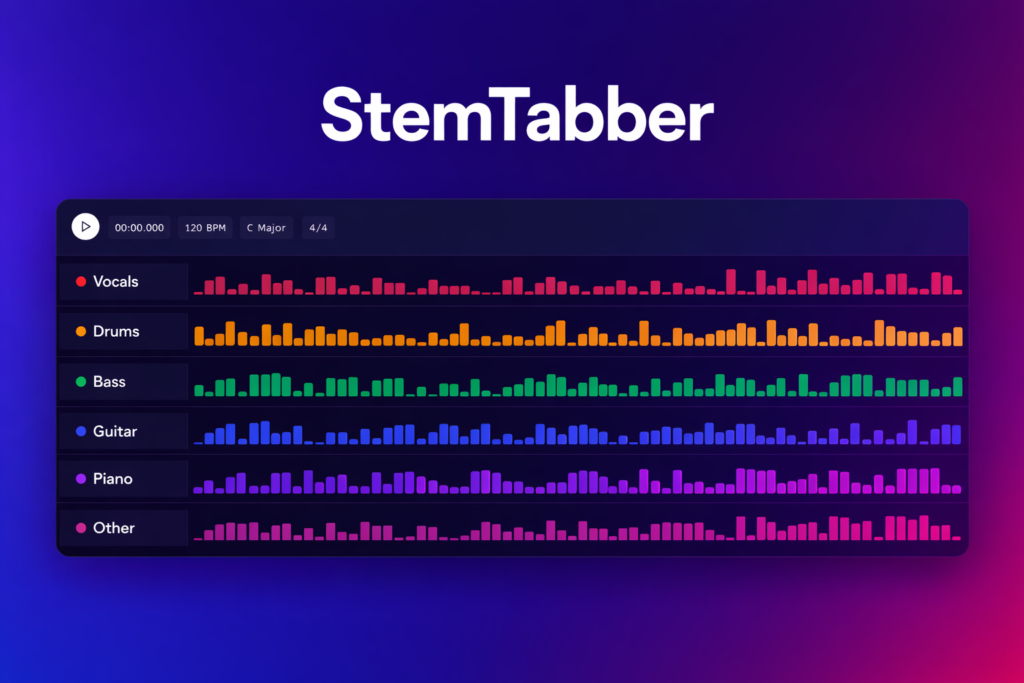
Ever wanted to grab just the vocals from a track? Or isolate the drums so you can practice along without the original drummer? That’s exactly what stem separation does — and thanks to AI, it’s now accessible to anyone with a phone or a web browser.
What Are Stems?
In music production, stems are the individual layers that make up a full mix — vocals, drums, bass, guitar, keys, and so on. Traditionally, only the person who produced the track had access to these separate layers. Everyone else got the final stereo mixdown.
Stem separation (also called source separation or audio demixing) is the process of taking that finished mix and splitting it back into its component parts — without needing the original session files.
How Does AI Stem Separation Work?
Modern stem separation uses deep neural networks trained on massive datasets of isolated instrument recordings paired with their mixed counterparts. The AI learns the spectral “fingerprint” of each instrument — what a snare drum looks like in a spectrogram versus a vocal formant versus a bass guitar fundamental.
When you feed it a mixed song, the model generates a soft mask for each stem — essentially telling the algorithm which frequencies and time slices belong to which instrument. The result: clean, separated audio tracks ready for your creative workflow.
The two dominant architectures powering this are:
- Open-Unmix / UMX — Facebook Research’s open-source baseline that uses bi-directional LSTMs
- Hybrid Transformer models (HTDemucs) — Meta’s state-of-the-art approach combining spectral and waveform processing with attention mechanisms
These models have improved dramatically. In 2019, separated stems sounded robotic and artifact-heavy. Today’s models produce studio-usable results on most commercial recordings.
What Can You Actually Do With Separated Stems?
The use cases span every corner of music:
🎵 Practice & Learning
Isolate the bass line to learn it note-by-note. Mute the drum track and play along live. Pull out a vocal melody to study phrasing. Stem separation turns any song into a practice tool.
🎧 DJing & Remixing
Create acapellas and instrumentals on-demand. Layer vocals from one track over the beat of another. Build mashups that actually sound clean because you’re working with isolated elements, not fighting a full mix.
🎤 Karaoke & Covers
Remove vocals from any song for karaoke night — no need to hunt for an instrumental version that may not exist. Or keep just the vocals to study a singer’s technique before recording your own cover.
🎹 Music Production & Sampling
Sample a specific drum break or bass line without bleeding from other instruments. Re-balance a mix by adjusting individual stem volumes. Add effects to just one element of a reference track. With StemTabber Web, you can do all of this directly in your browser — the built-in DAW lets you arrange, mix, and export stems without ever leaving the app.
🎓 Music Education
Teachers can isolate any instrument from any recording to demonstrate technique, transcription, or arrangement concepts. Students get to hear exactly what each player is doing in a complex arrangement.
4-Stem vs. 6-Stem Separation
Most tools offer two levels of separation:
| 4-Stem | 6-Stem |
|---|---|
| Vocals | Vocals |
| Drums | Drums |
| Bass | Bass |
| Other (everything else) | Guitar |
| Piano | |
| Other |
4-stem separation is great for quick vocal removal, drum isolation, or bass extraction. 6-stem gives you more granular control — essential when you need a clean guitar riff or piano part without the other instruments bleeding in.
Getting Started: Separate Your First Song
You don’t need a studio or expensive software. Pick the option that fits your workflow:
Option A — On your iPhone (iOS App)
- Download StemTabber from the App Store — free to start with 4-stem separation
- Import a song — choose from your music library or import any audio file (MP3, WAV, M4A, AAC, or FLAC)
- Tap “Separate” — AI processing takes 30–90 seconds depending on the track length
- Solo, mute, and export — listen to each stem individually, adjust the mix, and export the ones you need
Option B — In your browser (Web App + DAW)
- Open stemtabber.on-forge.com — no install required, works on any modern browser
- Upload or drag-and-drop your audio — same format support (MP3, WAV, M4A, AAC, FLAC)
- Separate — processing happens in the cloud so you get the same high-quality results regardless of your hardware
- Use the built-in DAW — once your stems are separated, arrange them on a multi-track timeline, adjust levels, apply effects, and mix — all without leaving the browser
- Export — download individual stems or your full mix as WAV or MP3
The web app is perfect when you want a full production workflow right after separation — no bouncing files between apps. The iOS app is ideal for quick separations on the go.
Both platforms offer a free tier with 4-stem separation. If you need 6-stem separation, unlimited processing, or higher-quality output, the Starter and Premium tiers have you covered.
Tips for Better Separation Results
AI separation works best under certain conditions. Here’s how to get the cleanest stems:
- Use high-quality source files — WAV and FLAC produce noticeably better results than low-bitrate MP3s. The more data the AI has to work with, the better it can distinguish instruments.
- Simpler arrangements separate cleaner — a folk song with guitar, bass, vocals, and light percussion will separate more cleanly than a dense EDM drop with 40 layered synths.
- Watch for heavily processed vocals — extreme autotune, vocoding, or heavy reverb can confuse the model because the vocal no longer has a natural spectral shape.
- Try both 4-stem and 6-stem — sometimes 4-stem gives you a cleaner vocal isolation because the model’s attention isn’t split across as many targets.
The Future of Stem Separation
This technology is evolving fast. We’re already seeing:
- Real-time separation — process audio as it plays, opening the door for live DJ tools and practice apps
- Custom stem targets — separate specific instruments beyond the standard 4/6 (e.g., isolate just the hi-hat or background vocals)
- Higher fidelity — each new model generation reduces artifacts and improves clarity, approaching the quality of actual multitrack recordings
At ElastikMind, we’re building StemTabber to stay on the cutting edge of these advances — whether you’re on your iPhone or working in the full web DAW, you’ll always have the best separation quality available.
Ready to try it? Open StemTabber in your browser to start separating and mixing right now, or download the iOS app for on-the-go stem separation. Have questions? Get in touch — we’d love to hear what you’re building.