
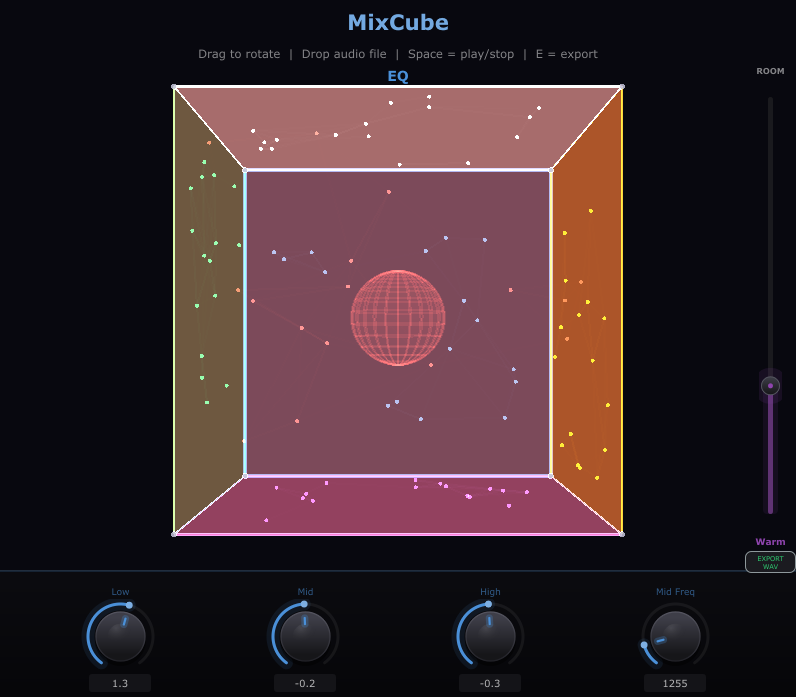
MixCube
MixCube – Virtual Mono Reference Speaker for Desktop
MixCube is a standalone desktop application that emulates the frequency response of a classic Auratone-style cube reference monitor. It lets you check how your mix translates on small, band-limited speakers without needing physical hardware—no plugin hosting or DAW required.
What Is MixCube?
MixCube is a lightweight standalone application for Windows and macOS built with the JUCE framework. It processes your system audio or routed output through a carefully shaped frequency curve that mimics the narrow bandwidth and midrange-focused character of a classic mono cube speaker. Launch the app, route your audio through it, and instantly hear what your mix sounds like on a limited-range playback system.
Why Use MixCube?
Professional mix engineers have relied on small reference monitors for decades. These speakers strip away the extended lows and highs, exposing the core of a mix: vocals, snare, bass guitar, and other midrange elements. If your mix sounds good on a cube speaker, it will translate well on phone speakers, laptop speakers, car stereos, and cheap earbuds.
MixCube gives you this reference point without buying dedicated hardware. It is especially useful for:
- Checking vocal and dialogue clarity against the instrumental balance
- Evaluating bass-to-kick drum relationships in the midrange
- Identifying masking problems between competing elements
- Testing mono compatibility of stereo mixes
- Simulating consumer playback devices during mixing and mastering
How to Use MixCube
- Download and install MixCube on Windows or macOS.
- Launch the application from your desktop or start menu.
- Select your audio input and output devices within the app.
- Route your DAW output or any audio source into MixCube.
- Listen through the cube speaker emulation and make mixing decisions based on what you hear.
- Toggle the emulation on and off to compare against your full-range monitoring at any time.
Because MixCube runs as a standalone application, it works alongside any DAW, media player, or audio source on your system. There is nothing to configure inside your DAW and no plugin format compatibility to worry about.
When to Use MixCube
Use MixCube at multiple stages of your workflow:
- During rough mixing – Establish a solid balance of core elements early by referencing through the cube emulation.
- While setting vocal levels – The restricted bandwidth makes it immediately obvious whether vocals sit correctly in the mix.
- Before finalizing a mix – Do a last-pass check to confirm your mix translates on limited playback systems.
- During mastering – Verify that the mastered track retains clarity and balance on small speakers.
- While reviewing rough cuts or demos – Quickly assess any audio playing on your computer without opening a DAW.
Key Features
- Auratone-style frequency response emulation
- Standalone desktop application—no DAW or plugin host required
- Available for Windows and macOS
- Lightweight with minimal CPU usage
- Simple interface with no unnecessary controls
System Requirements
- Windows 10 or later (64-bit) or macOS 10.13 or later
- An audio interface or built-in sound device
Get Started
Download the MixCube installer for Windows or macOS, install the application, and start referencing your mixes on a virtual cube speaker today.